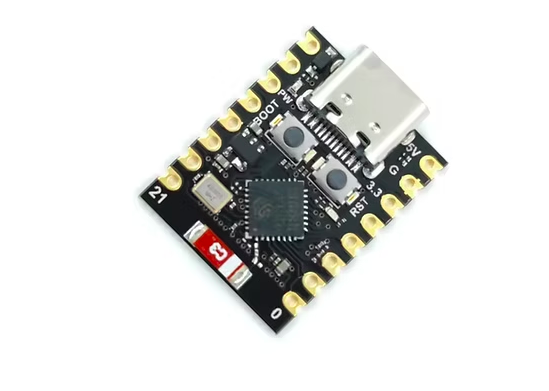
Product Details ESP32-C3 Development Board ESP32 Super Mini WiFi Blue tooth module Description: If external power supply is needed, simply connect the external power supply+stage to the 5V position and connect the GND to the negative pole
(Supports 3.3-6V power supply)
Remember that when connecting to an external power source, USB cannot be connected, and only one can be selected between USB and external power supply
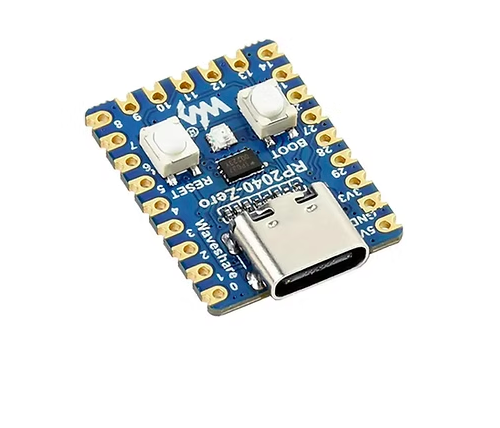
Enter download mode: Press and hold the BOOT button on ESP32C3, then press the RESET button, release the RESET button, and then release the BOOT button
At this time, ESP32C3 will enter download mode
(Every time you connect, you need to re-enter the download mode
Product Description
Product Details
ESP32-C3 Development Board ESP32 Super Mini WiFi Blue tooth module
Description:
If external power supply is needed, simply connect the external power supply+stage to the 5V position and connect the GND to the negative pole. (Supports 3.3-6V power supply). Remember that when connecting to an external power source, USB cannot be connected, and only one can be selected between USB and external power supply.
Enter download mode: Press and hold the BOOT button on ESP32C3, then press the RESET button, release the RESET button, and then release the BOOT button. At this time, ESP32C3 will enter download mode. (Every time you connect, you need to re-enter the download mode. Sometimes when you press it once, the unstable port will disconnect, which can be determined by the sound recognized by the port.)